
A client database is a sheet with one row per client, holding the details you need to look after them: contact information, family, the policies they hold and the next time you will speak. The template below also counts down to birthdays and other important dates, and shows who is due a contact this week.
Would you rather every client, policy and conversation sat on one page? Advisend keeps them together. Start free. No card needed. Start free in minutes.
What is inside the template
The database has 18 columns. You type in 15 of them. The sheet fills in three: Days to birthday, Days to that date and Contact status.
| Column | What goes there | Why it helps |
|---|---|---|
| Client name, Mobile, Email, City | Who they are | The basics, one row per person |
| OK to email about renewals? | Yes or No | Records who has asked you to email them |
| Date of birth, Days to birthday | The date, then a countdown | Reminds you to wish them a happy birthday |
| Other important date, What it is, Days to that date | For example a wedding anniversary | The same countdown for a date that matters to them |
| Family members | Spouse, children, parents | Helps you ask better questions at a review |
| Policies held | A short list in words | A quick view of what each client has |
| Best way to reach | WhatsApp, call, email or in person | Contact them the way they answer |
| Next renewal date | The nearest renewal | Links this sheet to your renewal tracker |
| Last contacted, Next contact date | Your relationship record | Nobody goes quiet by accident |
| Contact status | Filled in by the sheet | Overdue, Due today, Due in 7 days or Later |
| Notes | What matters about this client | What they care about, in your words |
Set it up in 5 steps
- Download and open the file. Delete the two sample rows first.
- Add your clients. One row per person, not per policy. Name and mobile are the two you must have.
- Add dates of birth and other important dates. The countdown columns do the rest.
- Set a Next contact date for every client. Even a gentle check-in a few months away counts.
- Leave the countdown and Contact status columns alone. They are formulas.
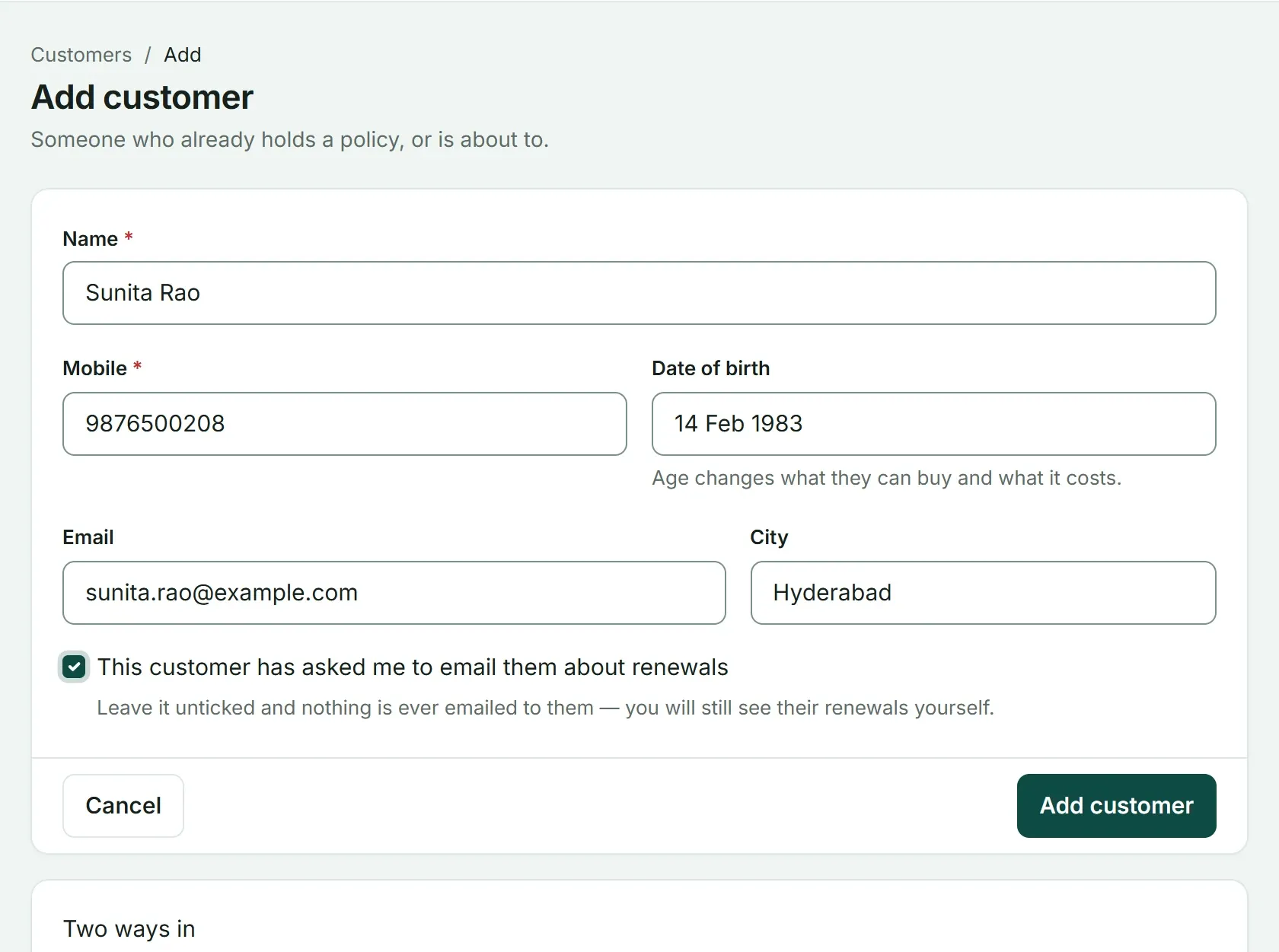
The same details in Advisend’s Add customer form, including a box to record whether the customer has asked to be emailed about renewals.
How the birthday countdown works
The sheet finds the next time the date comes round and subtracts today:
=IF(F2="","",DATE(YEAR(TODAY())+(DATE(YEAR(TODAY()),MONTH(F2),DAY(F2))<TODAY()),MONTH(F2),DAY(F2))-TODAY())If this year’s birthday has already passed, it counts to next year’s. A cell turns amber when the date is 7 days away or less. The same formula works for an anniversary or any other date you add.
Why important dates matter
A birthday message or an anniversary note is not a sales pitch. It tells a client that you know them as a person, and clients who feel known tend to stay. Send the message and leave the selling for another day.
A 10-minute weekly routine
Pick a fixed time, such as Monday morning:
- Filter Contact status to Overdue. Reach out to each client and set a new date.
- Filter to Due today and Due in 7 days. Plan your calls and messages for the week.
- Sort Days to birthday and look at the amber cells. Send those messages.
- After each contact, update Last contacted, Notes and the next date.
For the renewals side of the same clients, use the renewal tracker template and the list of 7 things to record on every policy.
Keep client details safe
This sheet holds names, phone numbers, dates of birth and family details. Keep one master copy, protect the file with a password, keep a backup and avoid forwarding the whole file over chat apps. Record whether a client is happy to be emailed, and respect that.
Where a sheet starts to struggle
A spreadsheet is a good place to begin. Most agents outgrow it for the same reasons:
- It never reminds you. The birthday countdown only helps if you open the file.
- One row cannot hold a relationship. A year of calls, promises and policies does not fit in a notes column.
- Policies live somewhere else. You keep a second sheet for renewals, and the two drift apart.
- It is awkward on a phone. Looking up a client before a meeting means scrolling a wide sheet.
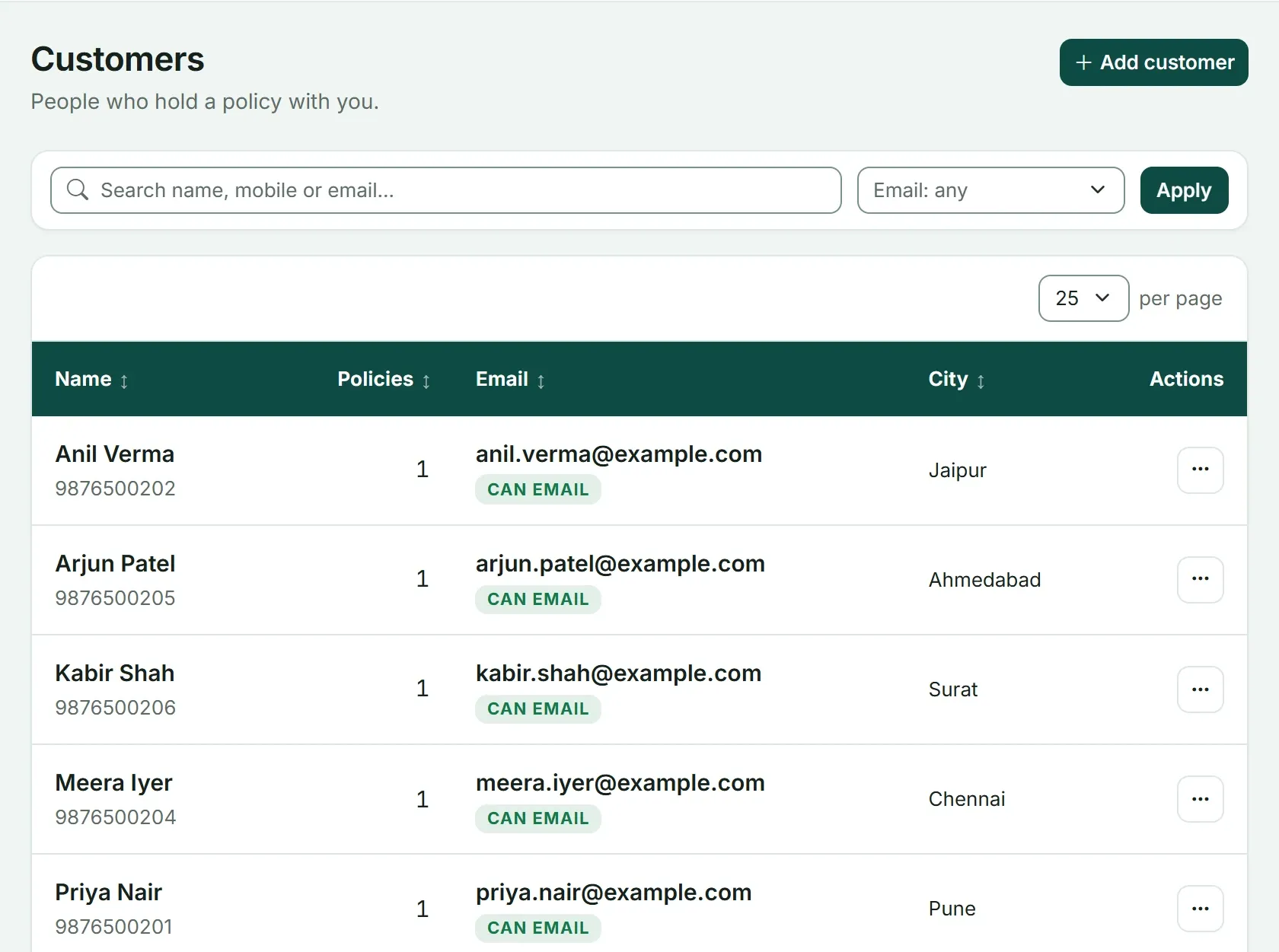
The same list in Advisend: each customer shows their mobile, how many policies they hold, their email and city. You can search by name, mobile or email.
The whole system around this sheet is in Client relationship management for agents.
Winning a lead? Set them to Won in the lead tracker template and add them here.
Ready to see every client, policy and conversation in one place? See how Advisend handles client relationships, or start free. No card needed. Start free in minutes.
Questions agents ask
Can I use this client database in Google Sheets?
Yes. Upload the file to Google Drive and open it with Google Sheets. The date formulas, drop-down lists and colour rules all work there.
How many clients can the template hold?
It is set up for 300 clients. To add more, copy the last row and paste it below. The formulas come with it.
Should policy details go in this sheet?
Only a short list in words, such as health and term. Keep full policy details, with due dates and premiums, in your renewal tracker or policy records.
Is it safe to keep client details in a spreadsheet?
It can be, if you take care. Keep one master copy, protect the file with a password, keep a backup and avoid sending the whole file over chat apps.
Every client, policy and conversation in one place.
Advisend keeps your clients in one place and reminds you by email and WhatsApp, so you can spend your day with clients.
Keep reading
Insurance Renewal Tracker in Excel and Google Sheets: Download the Template
A ready-made Excel renewal tracker that counts the days left, colours every policy by urgency and shows who to call today. Works in Excel and Google Sheets.
Updated 27 Oct 2026Guide7 Things to Record on Every Policy So No Renewal Surprises You
The seven details worth writing down for every policy, from the due date to the next action, so a renewal never catches you off guard.
Updated 27 Oct 2026TemplateLead Tracker in Excel: Download the Template
A ready-made Excel lead tracker for insurance agents. It shows who to follow up today, colours every lead by urgency and records the source of each lead. Works in Excel and Google Sheets.
Updated 27 Oct 2026