
A lead tracker is a sheet with one row per prospect, a stage, and a date for the next follow-up. The template below does the date maths for you and colours every lead by urgency, so the people you must call today are impossible to miss.
Would you rather the reminder came to you than open a sheet every morning? Advisend puts every lead and promise in one follow-up list. Start free. No card needed. Start free in minutes.
What is inside the template
The tracker has 13 columns. You type in 11 of them. The sheet fills in two: Days since contact and Follow-up.
| Column | What goes there | Why it helps |
|---|---|---|
| Lead name, Mobile, Email | Who to call | The number you dial when a follow-up is due |
| Interested in | Health, term, motor and so on | Tells you what to say on the call |
| Source | How they found you | Shows which source brings real clients |
| Priority | Hot, Warm or Cold | Lets you start the day with the best leads |
| Date added, Stage | Where the lead is in your process | New, Contacted, Meeting booked, Quote sent, Won or Lost |
| Last contacted, Next follow-up date | Your follow-up record | The date is the most important cell in the sheet |
| Days since contact | Filled in by the sheet | Shows how long a lead has been waiting |
| Follow-up | Filled in by the sheet | Overdue, Due today, Due in 3 days or Later |
| Notes | What was said | Never ask a lead the same thing twice |
Set it up in 5 steps
- Download and open the file. Delete the three sample rows first.
- Add your leads. One row each. Name, mobile, what they want and where they came from are the four that matter most.
- Set a Next follow-up date for every lead. A lead with no date is a lead you will forget.
- Leave Days since contact and Follow-up alone. They are formulas.
- Filter the Follow-up column to Overdue, then Due today, to get your call list.
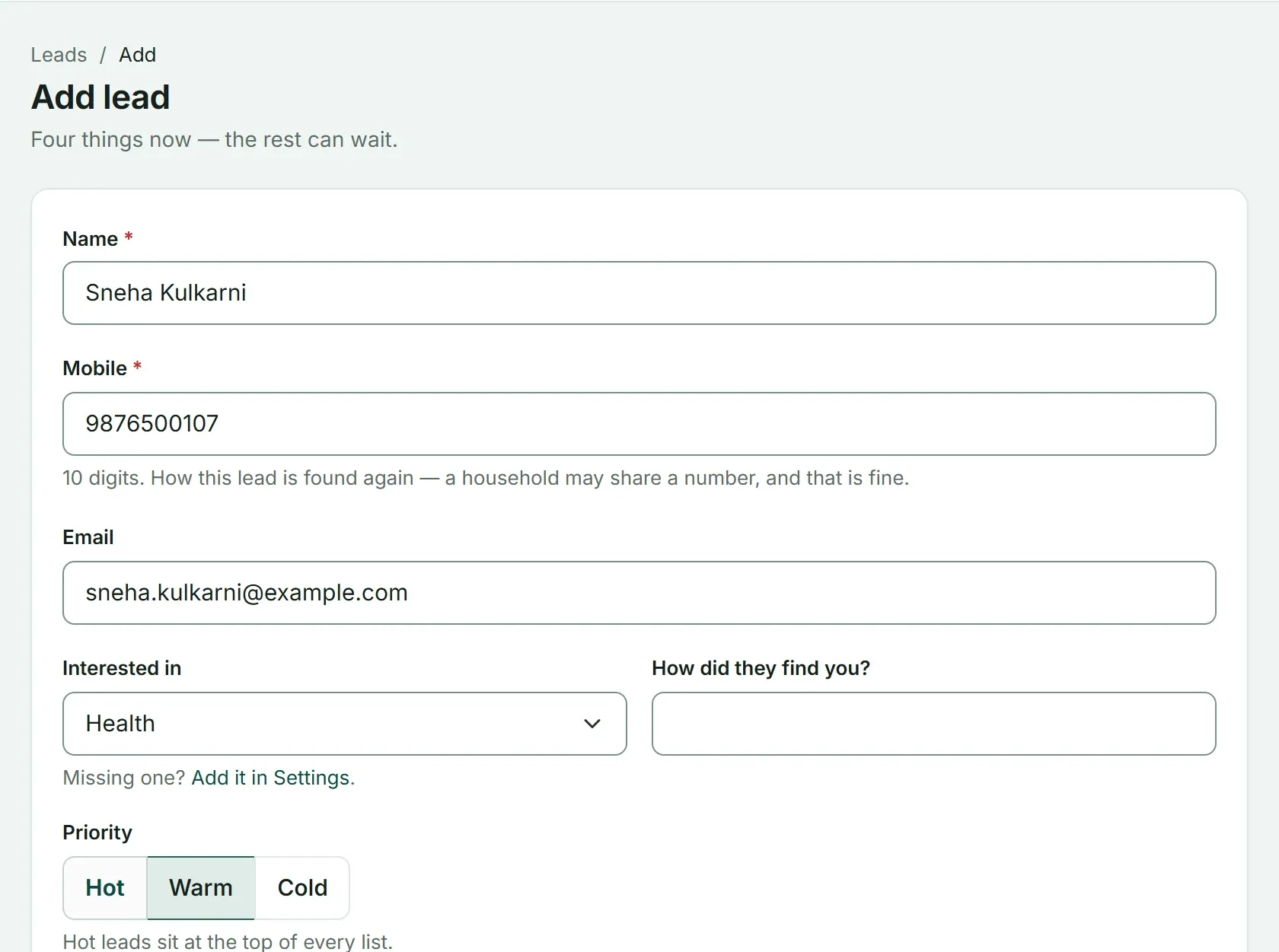
The same four details in Advisend’s Add lead form: name, mobile, what they are interested in and how they found you, plus a Hot, Warm or Cold priority.
How the Follow-up column works
The Follow-up column compares your next follow-up date with today:
=IF(A2="","",IF(OR(H2="Won",H2="Lost"),"Closed",IF(J2="","Set a date",IF(J2<TODAY(),"Overdue",IF(J2=TODAY(),"Due today",IF(J2<=TODAY()+3,"Due in 3 days","Later"))))))Leads marked Won or Lost show as Closed and turn grey, so they drop out of your list. Red means overdue, amber means due today, and a lighter amber means due within three days.
A 10-minute morning routine
A tracker only works if you open it. Pick a fixed time, such as 9 am:
- Filter Follow-up to Overdue. Contact each lead today and set a new date.
- Filter to Due today. Make the call or send the message.
- Look at Hot leads with no recent contact. Fix any that have been waiting too long.
- After every contact, update Last contacted, Notes and the next date.
The whole routine, from first call to client, is in Lead follow-up for insurance agents. If you are not sure when the next date should be, the Day 1, 3, 7, 14 follow-up schedule gives you a rhythm to start from.
When a lead becomes a client
Set Stage to Won and add the person to your client list. The client database template has the columns ready. From then on, a new need from that client is a new follow-up on the client, not a new lead.
Where a sheet starts to struggle
A spreadsheet is a good place to begin. Most agents outgrow it for the same reasons:
- It never reminds you. Nothing happens unless you open the file.
- Conversations get thin. One notes column cannot hold a month of calls and promises.
- It is awkward on a phone. Updating a wide sheet between meetings is slow.
- Winning a lead means retyping. You copy the details into your client list by hand.
None of this means you should skip the sheet. It means you should know the signs that it is time for something that works without you opening it.
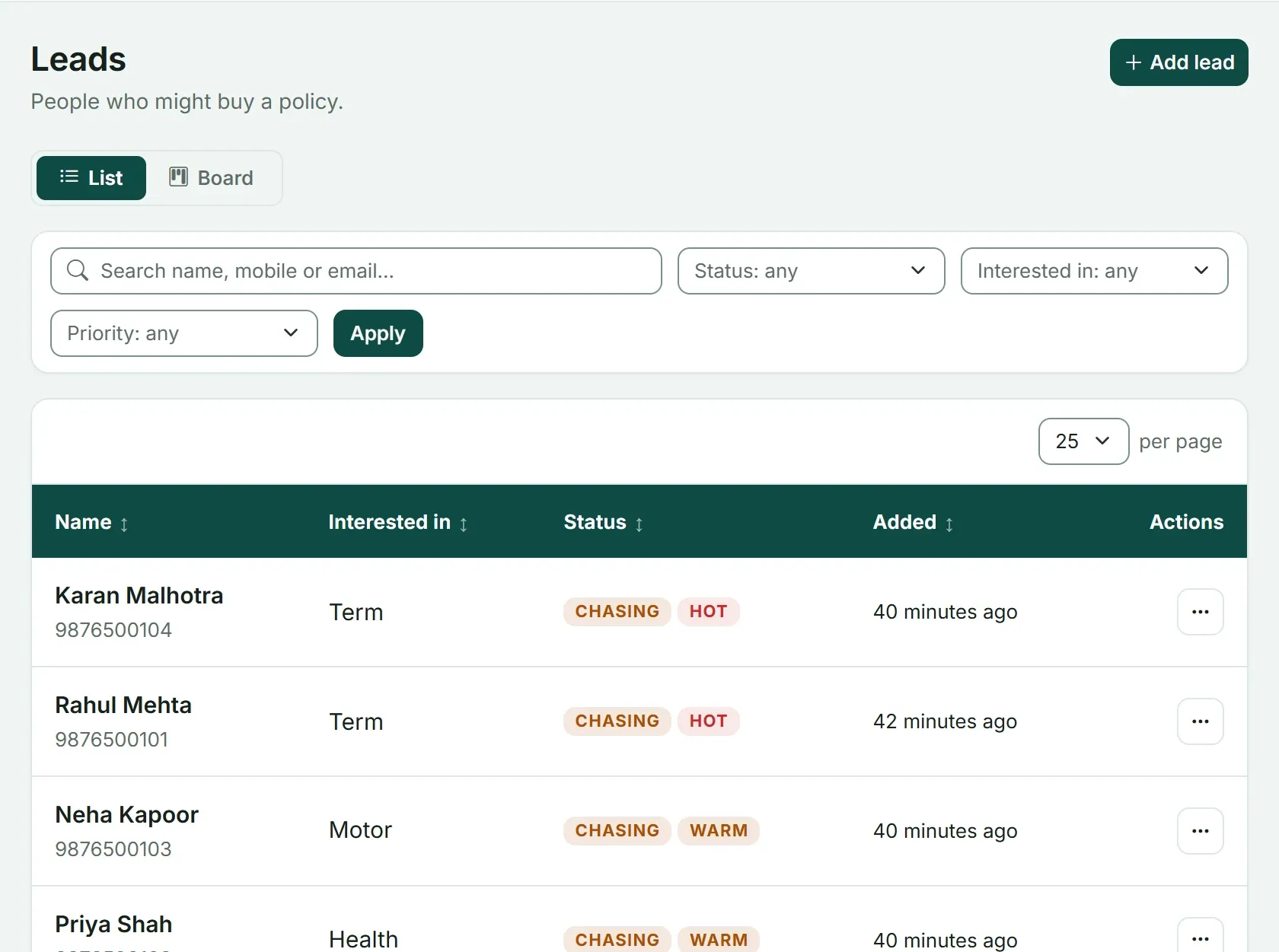
The same list in Advisend: each lead shows its status and priority, and hot leads sit at the top. You can search and filter by status, interest and priority.
For a fair comparison of a sheet and an app, read Excel or a renewal reminder app? It is written for renewals, and the same questions apply to leads.
Ready to stop opening a sheet to find out who is due? See how Advisend handles follow-ups, or start free. No card needed. Start free in minutes.
Questions agents ask
Can I use this lead tracker in Google Sheets?
Yes. Upload the file to Google Drive and open it with Google Sheets. The date formulas, drop-down lists and colour rules all work there.
How many leads can the template hold?
It is set up for 300 leads. To add more, copy the last row and paste it below. The formulas come with it.
What should I put in the Source column?
Where the lead came from, such as a referral, a walk-in or WhatsApp. A drop-down is included. After a few months, count which source gives you leads that become clients.
Does the tracker remind me to follow up?
No. A sheet only shows what is due when you open it. Open it first thing every morning, or use a tool that sends the reminder to you.
Every lead and promise in one worklist, so nobody goes cold.
Advisend keeps your follow-ups in one place and reminds you by email and WhatsApp, so you can spend your day with clients.
Keep reading
The Day 1, 3, 7, 14 Follow-Up Schedule (Template)
A simple follow-up rhythm for new insurance leads: what to send on day 1, 3, 7 and 14, with a downloadable Excel schedule that works out the dates for you.
Updated 27 Oct 2026TemplateClient Database in Excel: Download the Template
A ready-made Excel client database for insurance agents and distributors. It keeps contact details, family, policies and important dates in one sheet and shows who to contact this week.
Updated 27 Oct 2026ComparisonExcel or a Renewal Reminder App? A Side-by-Side for Agents
An honest comparison of tracking renewals in Excel and in a reminder app: what each does well, where each falls short, and how to decide which fits your book.
Updated 27 Oct 2026