
The Day 1, 3, 7, 14 schedule is a fixed rhythm of follow-up after a new lead comes in. You thank them on day 1, send something useful on day 3, ask for a clear next step on day 7, and close the loop politely on day 14. The template below works out the dates and shows who is due today.
Advisend can keep every lead and every promised follow-up in one list, so the next step never depends on memory. Start free. No card needed. Start free in minutes.
The schedule at a glance
| Day | Goal | Good channel | What you do |
|---|---|---|---|
| Day 1 | Say thanks and confirm what they asked for | Call or WhatsApp | Thank them, repeat what they want, ask for a good time to share options |
| Day 3 | Send something useful | One short note that answers a common question, then one question | |
| Day 7 | Ask for a clear next step | Call | Check if they looked at it and offer a specific time to talk |
| Day 14 | Close the loop | Give them an easy way to say not now, and ask when to check back |
Day 0 is the day the lead came in or you first spoke. Count forward from there.
Day 1: say thanks
Goal: be the agent who followed up promptly, while the lead still remembers asking.
Action: send a short thank-you and confirm what they asked for. Ask when it suits them to hear from you.
Day 3: be useful, not pushy
Goal: give the lead a reason to reply.
Action: send one short, useful note on what they asked about, then one question. “Is there anything you would like me to explain?” works well.
Day 7: ask for a clear next step
Goal: move from interest to a decision or a meeting.
Action: call. Check whether they looked at what you sent, and offer a specific time to talk. A specific time beats “let me know”.
Day 14: close the loop
Goal: leave the door open without chasing.
Action: send a polite message that makes it easy to say not now. Ask whether you should check back in a few weeks. Then record the answer.
A worked example
Sneha asks about a health plan on Monday 12 October, which is Day 0. Her schedule looks like this.
| Step | Date | What you do |
|---|---|---|
| Day 1 | Tue 13 Oct | Thank her and confirm she wants a family health plan |
| Day 3 | Thu 15 Oct | Send a short note on what to look for in a family plan |
| Day 7 | Mon 19 Oct | Call and offer a time on Wednesday |
| Day 14 | Mon 26 Oct | Ask whether to check back in a few weeks |
Say she replies on Day 3 that she will decide after Diwali. You mark Days 1 and 3 done, write “decide after Diwali” in the notes and set the next call for the week after. The schedule bends to what the lead says.
Adjust the rhythm to the lead
| Lead | Suggested change |
|---|---|
| Hot lead who asked for a quote | Move Day 1 to the same day and call on Day 3 |
| Warm lead who is comparing options | Use the schedule as it is |
| Cold lead from an event or a list | Start at Day 3 and keep messages light |
| Referral from a client | Thank the person who referred them as well |
Set it up in 5 steps
- Download and open the file. Delete the two sample rows first.
- Add each lead and type the Day 0 date. The due dates fill in by themselves.
- Choose Yes in a step’s Done column once you have contacted the lead.
- Filter Status to Overdue, then Due today. That is your follow-up list.
- Choose Won or Lost in Outcome when the lead is settled. The row turns grey.
The What to say sheet in the file has a starting message for each day. Change the words so they sound like you.
What to do after Day 14
A schedule ends, but a lead may not. Mark the lead as Lost with a reason, or set a slow check-in date, such as a month away, with a note. Record where the lead was, so a later call picks up where you stopped.
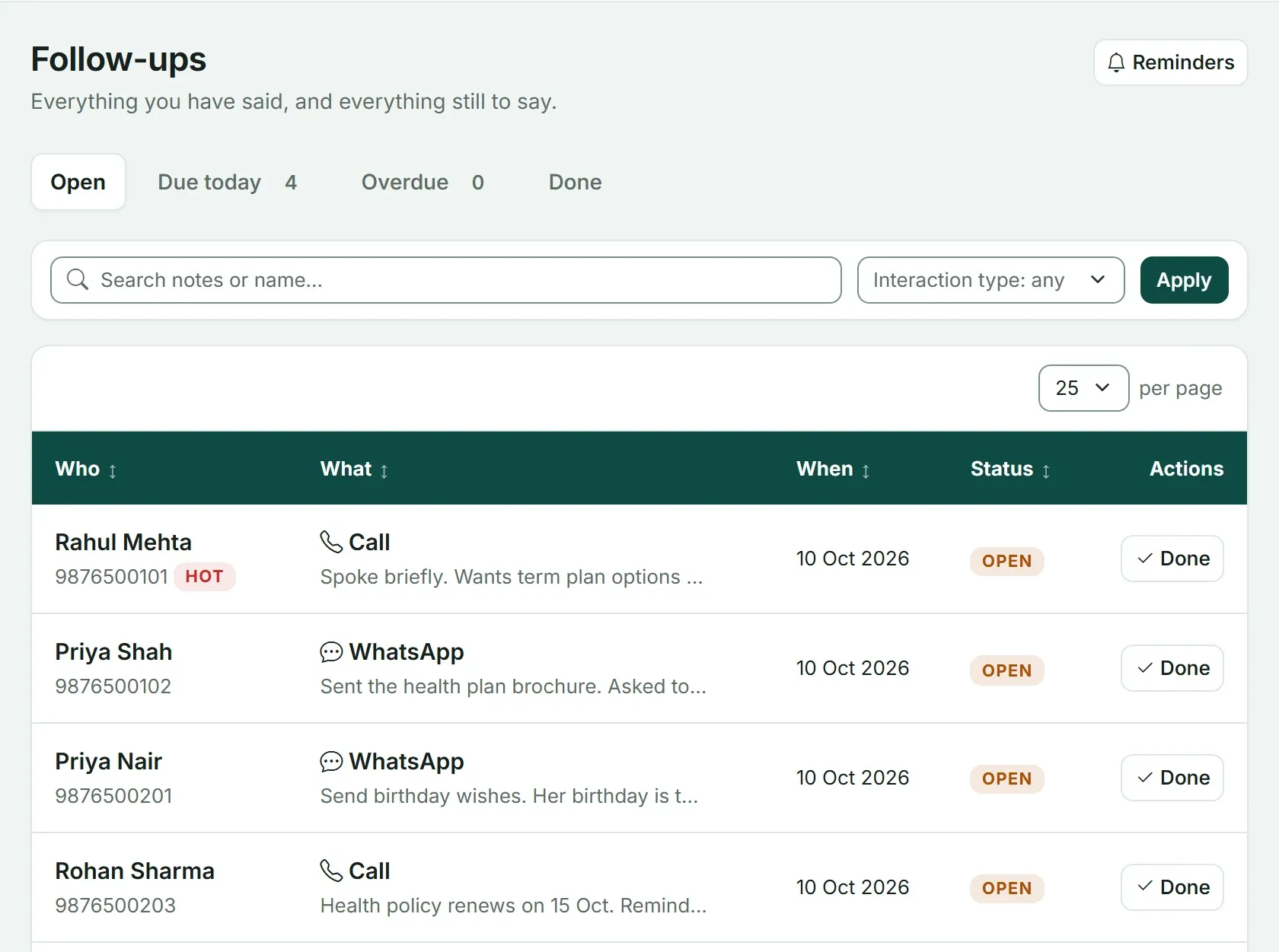
The same job in Advisend: a follow-ups page with tabs for Open, Due today, Overdue and Done. Marking a follow-up done offers to schedule the next one.
To keep the leads themselves in one place, use the lead tracker template. The whole system around this schedule is in Lead follow-up for insurance agents. If you want to see how the same idea works for renewals, read the 90-60-30-7 renewal reminder timeline, and for wording you can copy, try the WhatsApp renewal reminder messages.
Ready to stop counting days by hand? See how Advisend handles follow-ups, or start free. No card needed. Start free in minutes.
Questions agents ask
Why day 1, 3, 7 and 14?
It is a starting rhythm, not a rule. The early gaps keep you in the lead's mind while interest is fresh, and the later gaps give them room. Change the days if your leads need more or less time.
What if the lead replies on day 3?
Then you are in a conversation, so follow the conversation. Mark the steps done, write down what was said and set the next date based on what the lead told you.
What happens after day 14?
Mark the lead as lost or set a slow check-in date, such as a month later, and note why. Do not delete the lead. Circumstances change.
Can I use the schedule in Google Sheets?
Yes. Upload the file to Google Drive and open it with Google Sheets. The formulas, drop-down lists and colour rules all work there.
Every lead and promise in one worklist, so nobody goes cold.
Advisend keeps your follow-ups in one place and reminds you by email and WhatsApp, so you can spend your day with clients.
Keep reading
Lead Tracker in Excel: Download the Template
A ready-made Excel lead tracker for insurance agents. It shows who to follow up today, colours every lead by urgency and records the source of each lead. Works in Excel and Google Sheets.
Updated 27 Oct 2026GuideThe 90-60-30-7 Renewal Reminder Timeline (With Exact Actions)
What to do 90, 60, 30 and 7 days before a renewal, and on the due date: the exact message, the exact action, and why each step is there.
Updated 27 Oct 2026Template10 WhatsApp Renewal Reminder Messages to Copy and Send
Ten ready-to-send WhatsApp messages for every stage of a renewal, from the first heads-up to a client who has gone quiet. Written for insurance agents, brokers and distributors.
Updated 27 Oct 2026